Best AI Tools for Amazon Sellers in 2026 (By Use Case)
The right tool depends on what you're trying to fix. Here's the breakdown by use case.
Amazon
Peter Zdravkovski
The best AI tools for Amazon sellers include Helium 10 for keyword research and listing copy, CopyMonkey and DataDive for AI-assisted product descriptions, Quartile for PPC automation, and Amazon's native Enhance My Listing for quick optimizations. Each tool handles a different part of the listing workflow. No single tool does everything well.
Choosing the wrong tool wastes time and budget. The right one speeds up work that used to take hours. This guide breaks down which AI tools are worth using, and exactly what each one should be used for.
AI has moved from a novelty to a practical workflow tool for Amazon sellers. Over 900,000 sellers adopted AI listing tools in 2025 alone. The challenge isn't finding AI tools, it's knowing which category of problem each one solves.

Why AI Tools Matter for Amazon Sellers
AI tools save time on the parts of Amazon selling that are repetitive and rule-based like keyword integration, copy generation, bid adjustments, and listing analysis.
They don't replace strategy. They execute it faster. A seller who knows what makes a strong listing can use AI to produce 10 listings in the time it used to take to write one. A seller who doesn't know what makes a strong listing will get 10 mediocre listings faster.
Use AI as a production accelerator, not a strategy replacement.
Best AI Tools for Amazon Listing Copywriting
For listing copy specifically, the tools below consistently produce usable output. Here's a quick comparison:
Tool | Best For |
Helium 10 Listing Builder | Keyword-rich titles, bullets, descriptions |
CopyMonkey | Fast AI drafts with keyword targeting |
DataDive AI Copywriter | Data-backed copy tied to niche research |
ZonGuru Listing Optimizer | Clean copy from minimal product input |
Amazon AI Listing Generator | Free baseline drafts in Seller Central |
Helium 10 Listing Builder integrates directly with keyword data from Cerebro and Magnet. You pull the top-ranked keywords for your ASIN or competitor ASINs, feed them into the Listing Builder, and the AI generates a title, bullets, and description structured around those terms. Output quality is solid, but review every draft before publishing, since the AI doesn't know your brand voice.
CopyMonkey is built specifically for Amazon. It focuses on title and bullet formatting and produces clean, structured copy quickly. It's the fastest tool for sellers who need volume.
DataDive pairs keyword intelligence with an AI Copywriter. The workflow moves from niche research → product brief → listing copy inside a single platform. For brands launching new products, that connected workflow saves a lot of context-switching.
Amazon's native AI Listing Generator is buried in Seller Central under Catalog → Add Products. It's free and produces acceptable baseline drafts. Over 90% of sellers who used it accepted the AI suggestions in 2025. The limitation: it has no awareness of your brand, competitors, or positioning. Use it to start, not to finish.
Best AI Tools for Amazon Keyword Research
Strong copy starts with strong keyword data. These tools use AI to find, score, and prioritize keywords before you write a single word.
Helium 10 Cerebro & Magnet: Cerebro reverse-engineers competitor ASINs to surface the keywords they rank for. Magnet finds high-volume search terms by seed keyword. Together, they're the most comprehensive keyword stack available for Amazon.
AMZScout: Combines product research and keyword discovery in one platform. The PRO Chrome Extension surfaces real-time sales data and niche scores directly inside Amazon search results, so you're researching and validating at the same time. The Keyword Search tool identifies relevant search terms for listings and PPC. Useful for sellers who want product research and keyword data without managing two separate subscriptions.
DataDive Niche Dive: Deep keyword analysis tied to a specific product niche. Useful for new product launches where you want data on the whole competitive landscape, not just one ASIN.
Amazon Brand Analytics: Free inside Seller Central. Shows the top three search terms that drove traffic to any ASIN in your category. Underused by most sellers and a strong foundation before you spend on third-party tools.
Start with Amazon Brand Analytics if you're budget-conscious. AMZScout is a strong next step for sellers who need product research alongside keyword data. Add Helium 10 when deep competitive intelligence is the priority.
Best AI Tools for Amazon PPC Automation
PPC management is where AI has the clearest ROI because bid optimization involves constant small adjustments that humans can't make at scale.
Quartile: Enterprise-grade PPC automation with hourly bid adjustments. Analyzes CTR, CVR, and ACoS to reallocate spend automatically. Suited for brands with significant ad budgets.
Perpetua: Goal-based PPC automation. You set the target ACoS or revenue goal; the AI manages bids to hit it. Good for mid-sized sellers who want automated PPC without manual campaign management.
Seller Snap: AI-powered repricing tool. Uses game theory modeling to predict competitor behavior and adjust prices without triggering price wars. Best for competitive categories where Buy Box position matters.
Not sure where your listing stands before investing in ads? We offer listing audits that identify conversion weaknesses before you spend on PPC. Better listings mean lower cost-per-click and higher return on ad spend.
Can AI Write Your Entire Amazon Listing?
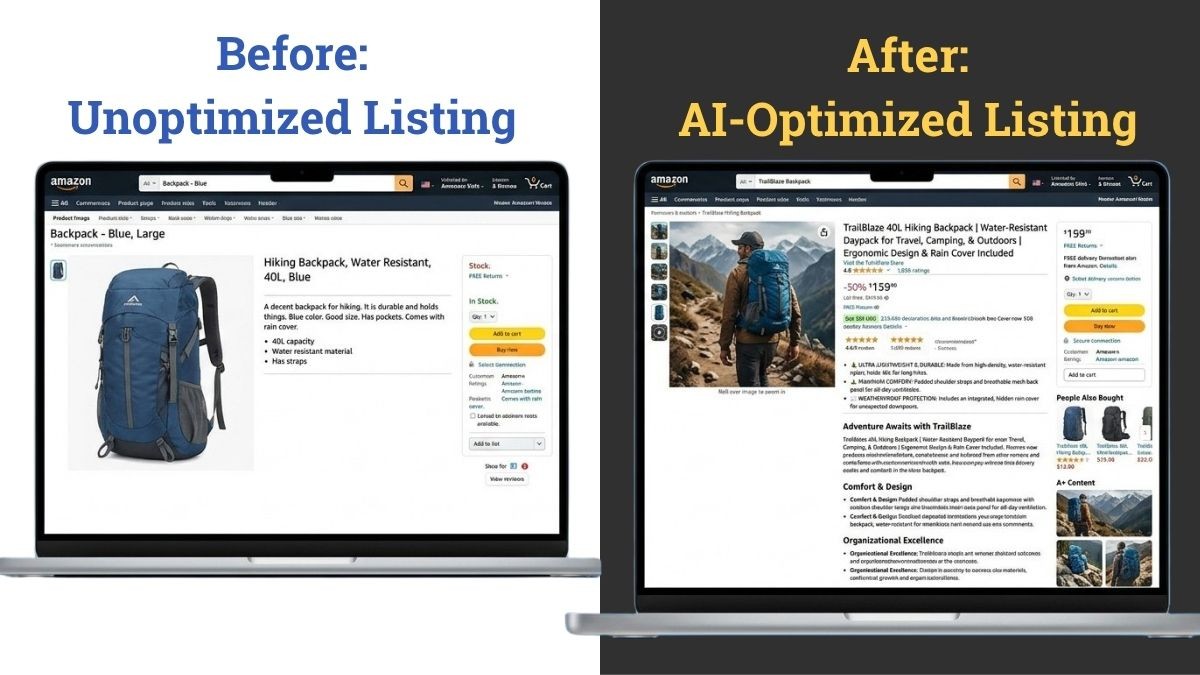
AI can generate a complete listing draft including title, “about this item” bullets, product description, and even A+ content outlines. But the output is only as good as the input and the review process.
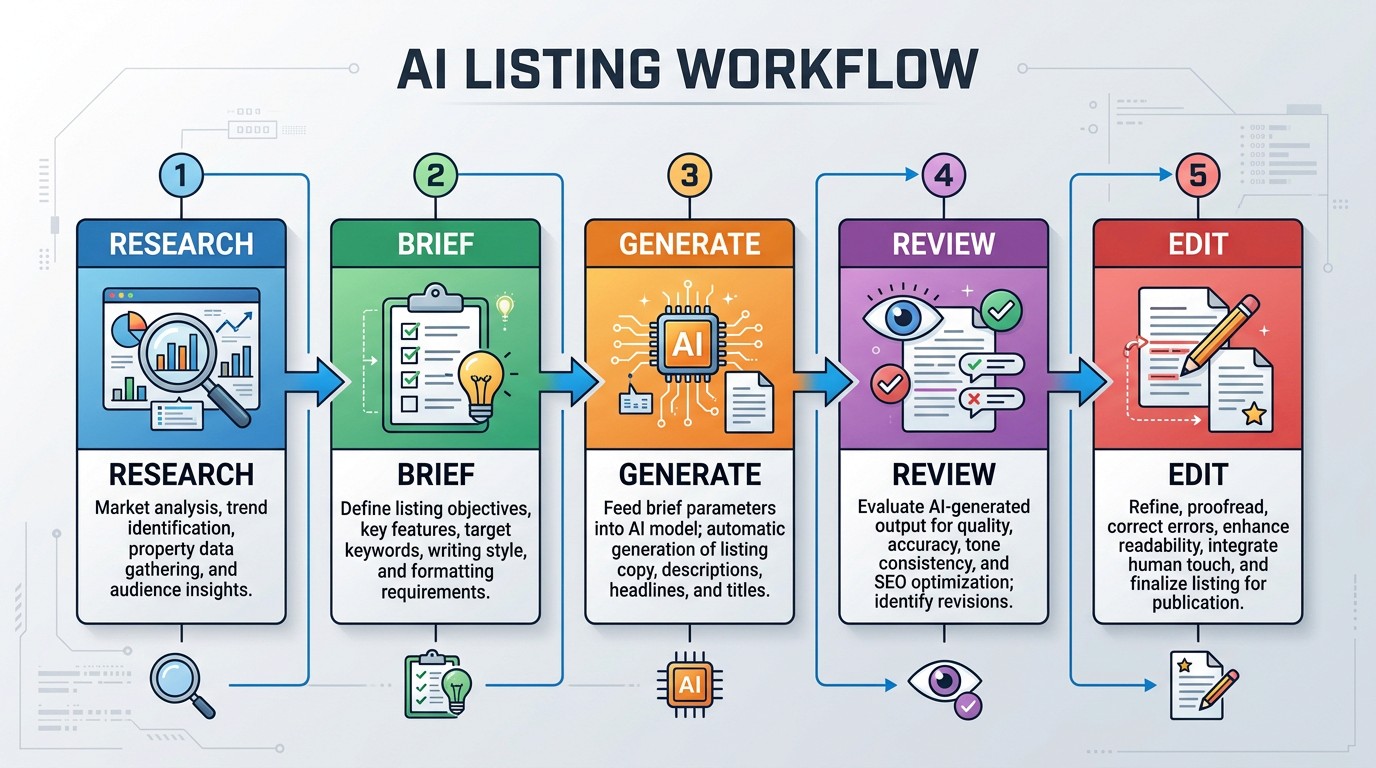
The typical AI listing workflow that actually works:
Research first: Pull keyword data from Helium 10 or DataDive before opening any copy tool
Feed the AI a clear brief: Product name, key features, target customer, top 10 keywords
Generate a draft: Use Helium 10 Listing Builder, CopyMonkey, or DataDive AI Copywriter
Review for accuracy: AI makes up specs. Check every claim against your actual product
Edit for brand voice: AI output is generic by default. Add the language that makes your brand distinct
Run a final keyword check: Confirm primary keywords appear in the title and first two bullets
Skipping step 5 is the most common mistake. Generic AI copy does not convert as well as copy that sounds like a real brand talking to a real customer.
Common AI Tool Mistakes Amazon Sellers Make
Using AI output without editing - The draft is a starting point. Publish it as-is and you'll have a listing that reads like every other AI-generated listing in your category.
Skipping keyword research before generating copy - AI tools can't rank you for terms they don't know about. Always research first.
Choosing an all-in-one tool when you only need one function - Paying $200/month for a full platform when you only needed a keyword tool wastes budget.
Relying on Amazon's free tools for final output - The native AI Listing Generator is good for a first draft. It's not built for optimization, brand differentiation, or competitive positioning.
Ignoring Amazon's free AI features entirely - Brand Analytics and Enhance My Listing are free, underused, and worth using before spending anything on third-party tools.
AI Tools for Amazon Sellers - Quick Checklist
Before investing in any AI tool, run through these questions:
Do you know which part of your workflow needs the most time: copy, keywords, PPC, or pricing?
Have you used Amazon's free native tools (Brand Analytics, Enhance My Listing) first?
Does the tool you're evaluating integrate with the keyword data you already have?
Will you review and edit AI-generated copy before publishing?
Do you have a process for keeping your brand voice consistent across AI-assisted listings?
Is the tool priced for your current catalog size and ad budget?
Is there a free trial so you can test output quality before committing?
If the answer to any of these is no, resolve it before you subscribe.
Final Thoughts
The best AI tools for Amazon sellers are the ones that fit the specific workflow step you're trying to speed up. Start with Amazon's free native tools. Add keyword research with Helium 10 or DataDive when you're ready to compete seriously. Use AI copy tools to scale production, not to replace the human review that turns a draft into a listing that actually converts.
If your listings need more than a faster draft like, better strategy, stronger copy, and design that stops the scroll, that's where we come in. We handle the full listing build, from keyword research to final image delivery, so the output is optimized at every level.
Frequently Asked Questions
What AI tools do Amazon sellers use most?
Helium 10 is the most widely used AI tool for Amazon listing optimization and keyword research. For copy-specific tasks, CopyMonkey and DataDive are common choices. AMZScout is widely used for combined product and keyword research, particularly among FBA sellers evaluating new niches. Amazon's own AI Listing Generator and Enhance My Listing are free and increasingly adopted for fast drafts and quick optimization ideas.
Can AI write Amazon product descriptions?
Yes. AI tools like Helium 10's Listing Builder, CopyMonkey, and DataDive's AI Copywriter can generate full product descriptions, titles, and bullet points. Output quality depends on the keyword input and brief you provide. All AI-generated copy should be reviewed and edited for accuracy and brand voice before publishing.
What is the best free AI tool for Amazon listings?
Amazon's native AI Listing Generator (under Catalog → Add Products) and Enhance My Listing is free and built into Seller Central. Amazon Brand Analytics is also free and provides search-term data that most third-party tools charge for. These are the best starting points before investing in paid tools.
Do AI tools help with Amazon SEO?
Yes, primarily through keyword research. Tools like Helium 10 Cerebro and DataDive identify high-ranking search terms for your category, which you then integrate into your title, bullets, and backend keywords. Better keyword coverage improves organic ranking. AI alone doesn't rank your listing, it ensures the right terms are in the right places.
How much do AI tools for Amazon cost?
Costs range from free (Amazon's native tools) to $29–$695/month for third-party platforms depending on plan. Most offer free trials. Start with a single-function tool that addresses your biggest bottleneck before building a full tech stack.

Master the Marketplace.
Actionable strategies to boost your organic ranking and maximize your CTR, delivered weekly.
Other Blogposts

Amazon
How to Optimize Your Amazon Listing for Alexa and COSMO in 2026
A practical framework for writing listings that COSMO can read and Alexa (formerly Rufus) can recommend.

Amazon
What Is Amazon Alexa and COSMO? A Plain-English Guide for Amazon Sellers
How Amazon's AI shopping systems evaluate your listing, and what every seller needs to know in 2026.
Amazon
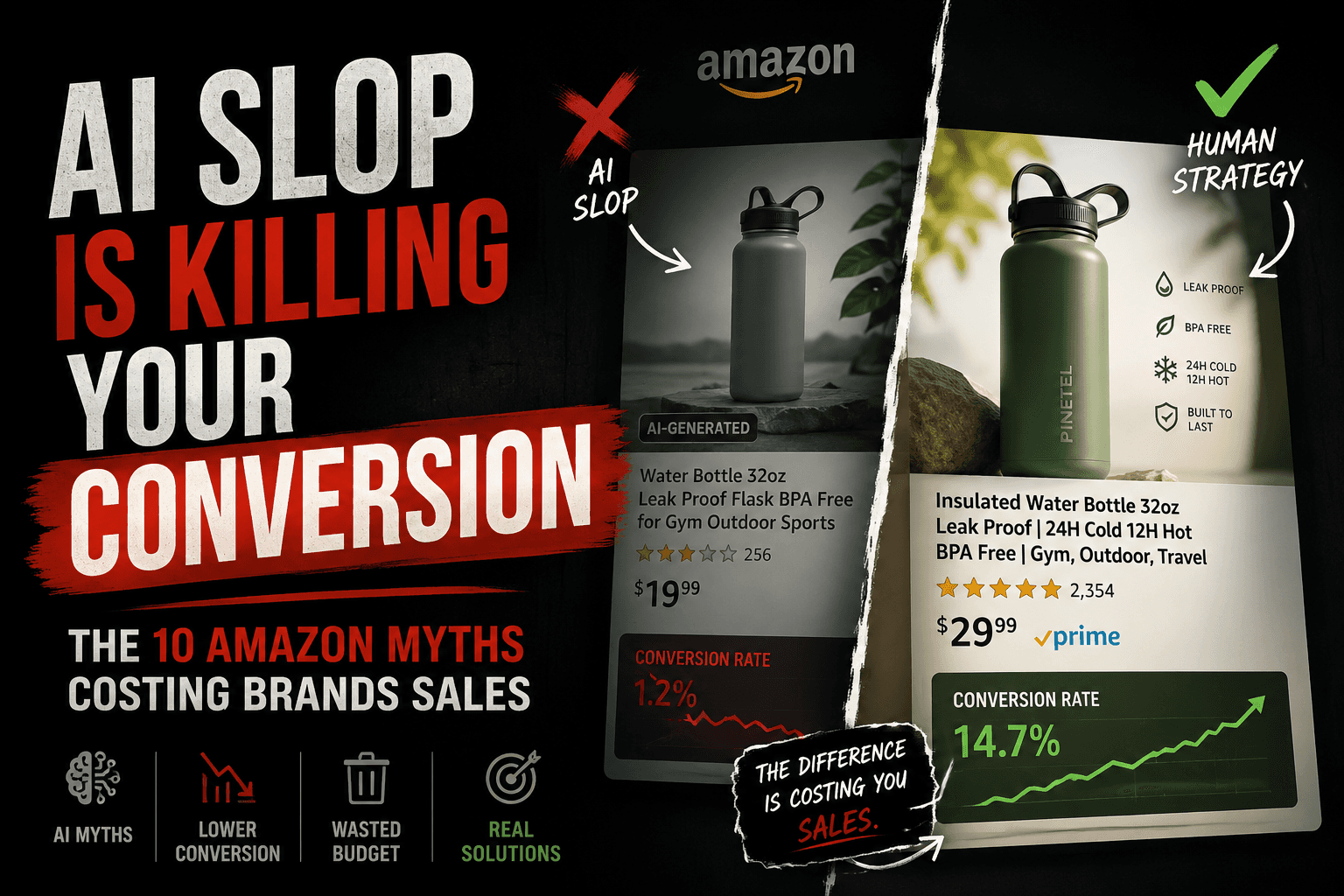
The AI slop quietly killing your Amazon conversion
Most AI-generated listings look polished, keyword-optimized, and technically correct. So why are conversion rates collapsing? Here are the 10 AI myths quietly hurting Amazon brands in 2026.