How to Optimize Your Amazon Listing for Alexa and COSMO in 2026
A practical framework for writing listings that COSMO can read and Alexa (formerly Rufus) can recommend.
Amazon
Peter Zdravkovski
To optimize your Amazon listing for Alexa (formerly Rufus) and COSMO, write content that answers real shopper questions rather than stacking keywords. Each section should communicate who the product is for, what it does, where and when it is used, and what problem it solves. That intent-rich content is what COSMO reads and what Alexa recommends.
If you are not yet familiar with how Alexa and COSMO work, start with our guide on what Amazon Alexa and COSMO are before reading this one. The context will make the framework below more useful.
Notice: Rufus and Alexa might be used interchangeably throughout the article since the Alexa integration is a recent event and outright removing “Rufus” from the conversation might be confusing for some readers.
How COSMO Actually Reads Your Listing
COSMO does not scan your listing for keywords. It evaluates your listing for relationships between your product and the real-world context a shopper is operating in.
Amazon's COSMO research identifies nine core types of intent signals that it maps products against. These are the categories your listing needs to cover to be COSMO-readable:
COSMO Signal | What to Communicate | Example |
Function | What does it do? | "removes pet hair from upholstery" |
Activity or Event | What is it used for? | "hiking", "meal prep", "school projects" |
Audience | Who is it for? | "expecting mothers", "runners with flat feet" |
Capability | What can it handle or withstand? | "keeps drinks cold for 24 hours" |
Location | Where is it used? | "small apartments", "car cup holder", "home gym" |
Season or Time | When is it relevant? | "summer", "back to school", "late night" |
Body Part or Condition | What physical need does it address? | does it address?"lower back support", "sensitive skin" |
Compatible Products | What does it pair with? | "fits standard Ninja blender bases" |
User Type | Who specifically uses it? | it?"physical therapists", "dog owners", "home bakers" |
Scan your current listing against this table. Any signal that is missing or vague is a gap COSMO cannot fill when a shopper asks a related question. Alexa will not recommend a product it cannot confidently explain.
How to Use Alexa for Shopping as a Free Research Tool
Before rewriting anything, use Alexa to understand what shoppers in your category are actually asking.
Open the Amazon app
Search your main product keyword
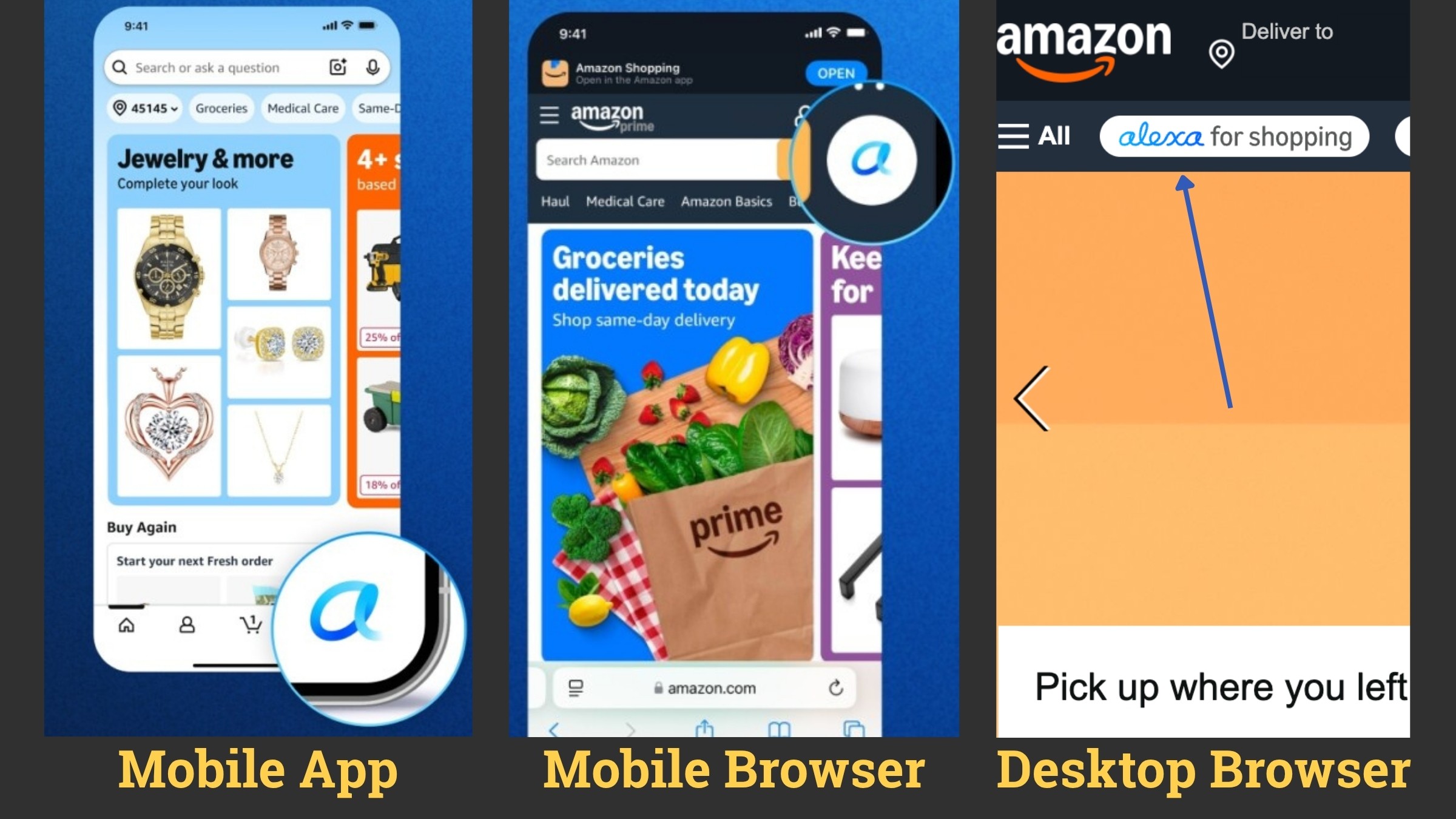
Open the Alexa for Shopping chat on the results page.
Alexa will surface suggested prompts based on real shopper questions in your niche.
These prompts are a direct signal of which intent categories matter most for your product.
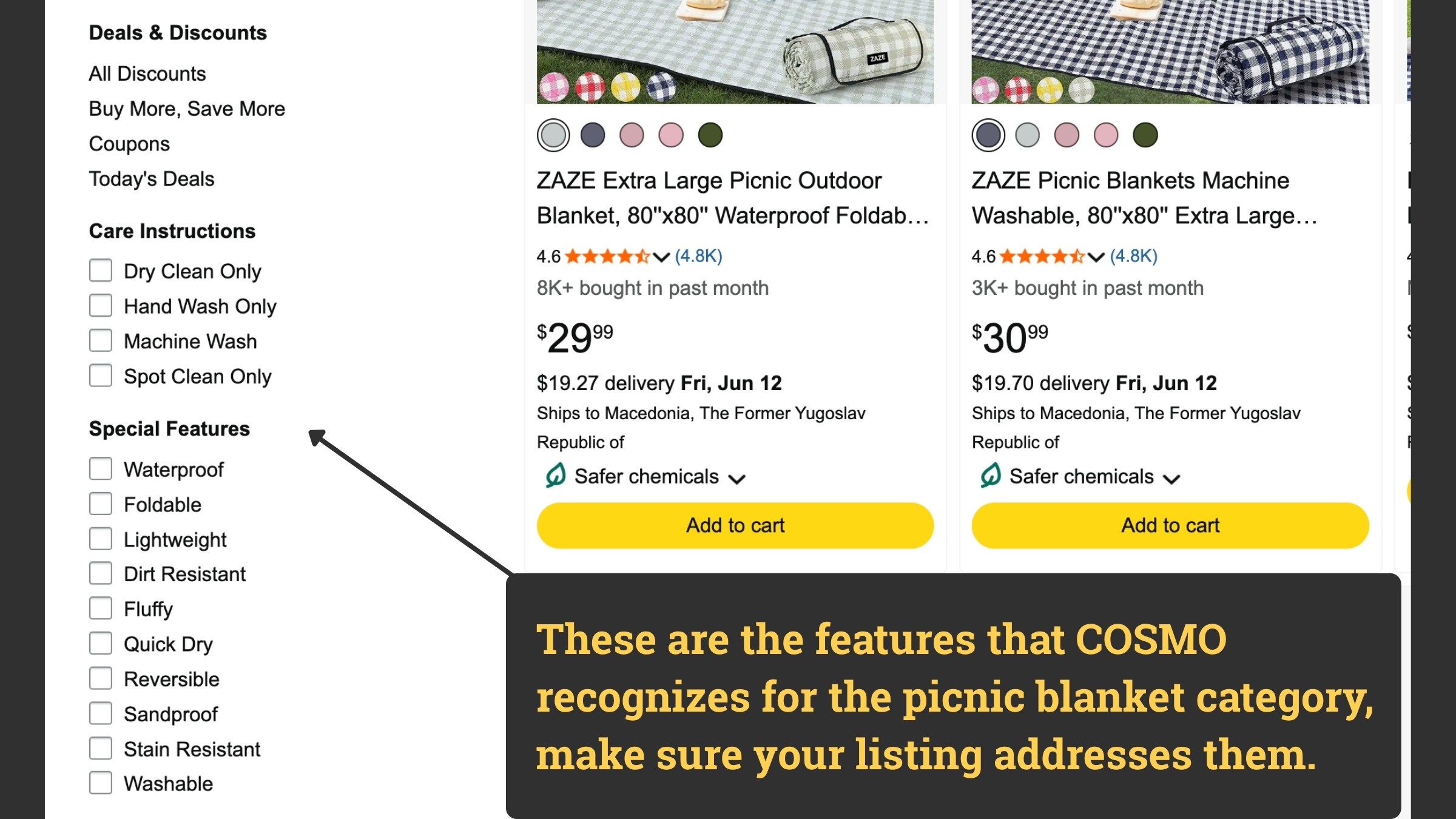
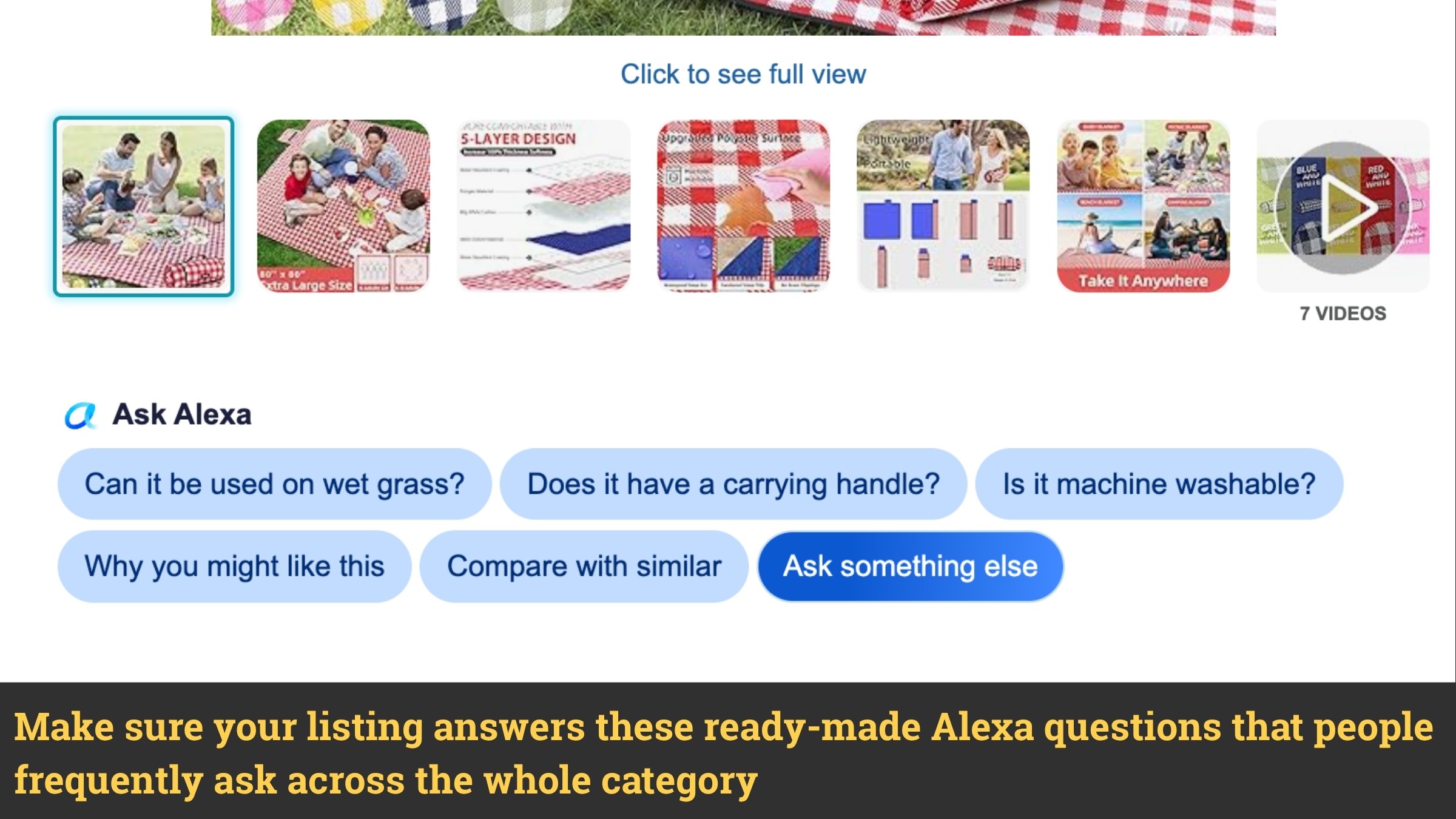
For a picnic blanket, Alexa might surface: "Which picnic blankets are easiest to clean?", "Are there waterproof options?", "Do any come with a carry bag?" Each of those maps to a COSMO signal your listing should address clearly.
Two additional research sources worth checking:
Left-hand search filters on your category results page. Amazon extracts these feature categories from listings in real time. If your product qualifies for a filter but your listing does not communicate it, Alexa can exclude you from that filtered result set entirely.
Alexa generates AI summaries on competitor product pages of what customers say matters most. The recurring themes in those summaries are the intent signals your listing should address.
This research costs nothing. It is often more revealing than paid tools for this specific purpose. For a broader look at keyword and listing research tools, our guide to the best AI tools for Amazon sellers covers what is worth using.
Title Optimization for COSMO
The keyword-stuffed title had a long run under A9. COSMO evaluates titles for what they communicate about the product, not how many search terms they contain.
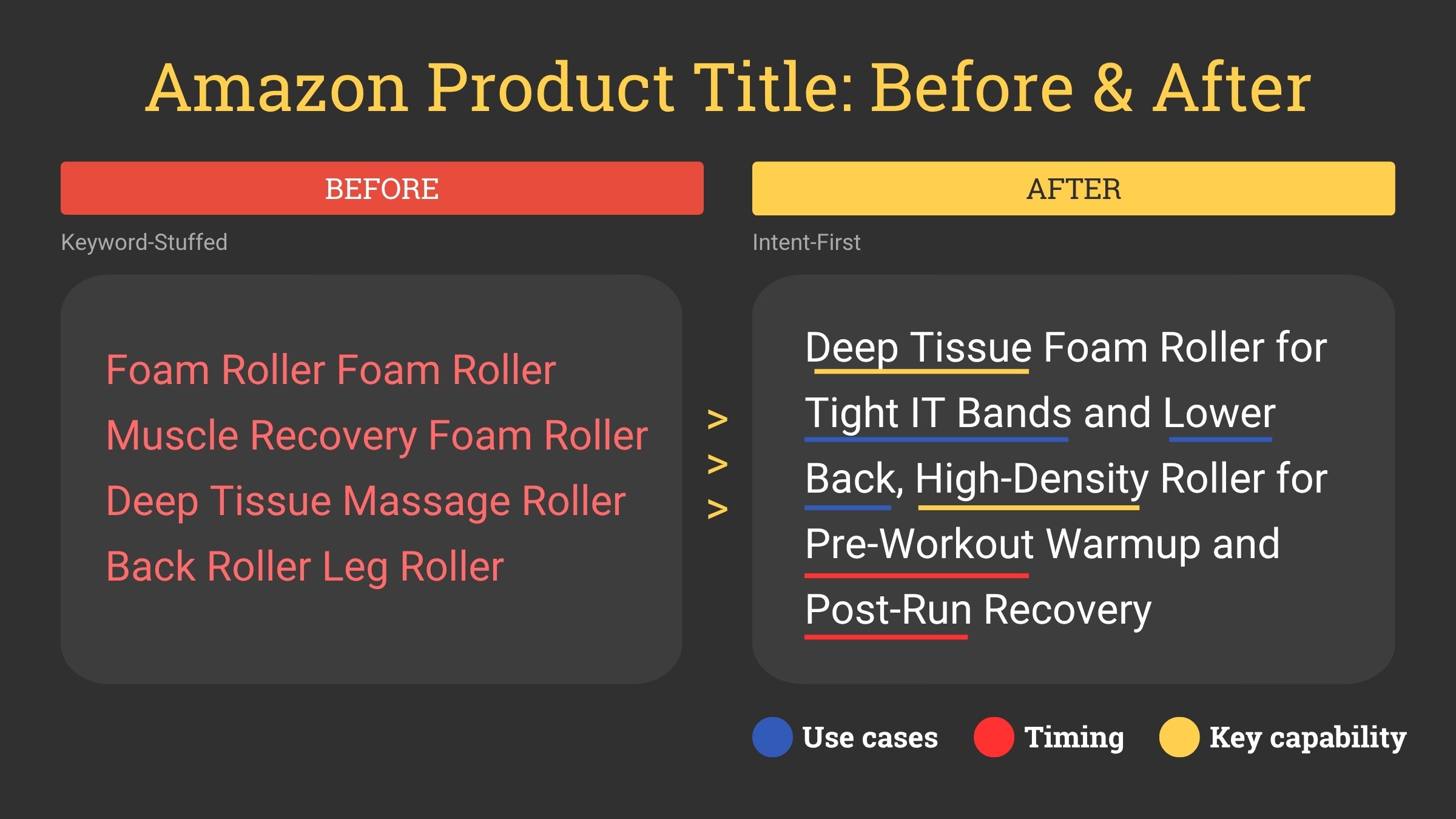
Before (keyword-stuffed): Foam Roller Foam Roller Muscle Recovery Foam Roller Deep Tissue Massage Roller Back Roller Leg Roller
After (intent-first): Deep Tissue Foam Roller for Tight IT Bands and Lower Back, High-Density Roller for Pre-Workout Warmup and Post-Run Recovery
The second title communicates:
Use cases (tight IT bands, lower back)
Timing (pre-workout, post-run)
Key capability (deep tissue, high-density)
COSMO can map all three against its knowledge graph. The first gives it almost nothing to work with.
Keywords still belong in your title for A9 indexing. The shift is that they should appear as part of a meaningful phrase rather than as a disconnected list.
Bullet Point Optimization for COSMO
Each bullet should follow a clear pattern: feature, then benefit, then use case. This structure gives COSMO three types of signals from a single bullet point.
Before: Memory foam construction
After: Shaped from slow-rebound memory foam that contours to your neck rather than springing back mid-trip. Sized to fit economy seat headrests and folds flat into a carry-on side pocket.
The revised bullet covers:
Capability (contours to neck)
Use case (long-haul flights, economy seats)
Practical dimension (fits carry-on)
This approach is consistent with what good listing copy has always required. If your bullet points read as a list of specs with no context, they are not serving the shopper or the algorithm.
One important note: only include signals your product genuinely delivers. If Alexa recommends your product based on a feature it does not have, the shopper returns it. Amazon learns from that. Getting recommended for the wrong reasons actively damages your listing's long-term performance.
FAQs and Reviews as COSMO Signals
Alexa reads your Q&A section directly when constructing answers for shoppers. A thorough Q&A gives Alexa ready-made, high-confidence responses to questions shoppers are already asking in your category.
Treat Q&A as an additional copy asset. Populate it proactively based on the prompts your previous Alexa research surfaced. Answer in complete sentences, not single words. "Yes, it is machine washable and dries flat" gives COSMO something to work with. "Yes" does not.
Reviews work similarly. Shoppers naturally describe how they use a product, what problem it solved, and who they bought it for. That language maps directly onto COSMO signals. More genuine, detailed reviews give COSMO more material to match against shopper queries. This is one reason review quality has always mattered and now matters even more.
Common COSMO Optimization Mistakes
Writing COSMO optimization as if it is separate from good copywriting. Listings that communicate clearly to a human communicate clearly to COSMO. The standard for both is the same. If a sentence would confuse a reader, it will confuse the algorithm.
Using AI tools to rewrite listings without a structured brief. Generic AI output tends to strip out the specific, contextual language COSMO needs most and replace it with polished generalities. The result can look clean and still score poorly on intent signals and kill your conversion rate.
Ignoring the Q&A section. Most sellers treat Q&A as a customer service inbox. Alexa treats it as listing content. Leaving it sparse is a missed opportunity.
Optimizing for intent signals your product cannot deliver. Accuracy is not just an ethical standard. It is a performance standard. Returns triggered by mismatched expectations teach Alexa to stop recommending you for that context.
Treating keyword research and COSMO optimization as opposing tasks. You need both. Keywords for A9 indexing. Intent signals for COSMO ranking. A listing without keywords does not enter the candidate pool. A listing without intent signals does not get recommended within it.
COSMO Listing Optimization Checklist
Before publishing any listing, run through these:
Does your title communicate who the product is for and what it does, beyond naming the category?
Does each bullet contain a feature, a benefit, and a use case in two to three sentences?
Have you covered at least five of the nine COSMO signal types somewhere in your listing content?
Is your Q&A section populated with complete answers to the questions Alexa surfaces in your category?
Have you confirmed that every intent signal in your listing is something your product actually delivers?
Have you used Alexa’s own suggested prompts to research what matters to shoppers in your niche?
Does your description read like a human wrote it for another human to act on?
If the answer to any of these is no, it may be time to optimize your listing.
Final Thoughts
Optimizing for Alexa and COSMO is not a separate strategy from writing a strong listing. It is what writing a strong listing means in 2026.
The sellers who benefit most are not the ones who stuff different keywords into the same structure. They are the ones who take the time to understand what their customer is actually trying to accomplish and then communicate that clearly across every section of their listing.
Frequently Asked Questions
What does a COSMO-optimized listing actually look like?
It looks like a listing written for a reader, not a search engine. Features are paired with benefits and use cases. Audience and context are stated plainly. Specific capabilities are included rather than implied. The clearest difference shows in bullet points: COSMO-optimized bullets are two to three sentences that answer a real question. Single-word attribute lists are not COSMO-optimized.
Does optimizing for COSMO hurt my A9 keyword rankings?
No, when done correctly. COSMO optimization means adding intent context around your keywords, not removing them. A title that reads "extra thick yoga mat for bad knees, ideal for home workouts and physical therapy" still contains the keyword "yoga mat" and indexes for it. The keyword is embedded in a meaningful phrase, which satisfies both A9 and COSMO simultaneously.
How often should I update my listing for COSMO?
Review your listing whenever you notice Alexa surfacing new prompt suggestions in your category. These shift as shopper behavior changes. Running an Alexa research session quarterly and updating your Q&A and bullets accordingly keeps your listing aligned with current intent patterns without requiring a full rewrite each time.
Can AI tools write COSMO-optimized listings?
Yes, with the right brief. AI tools can produce COSMO-ready content when given a detailed brief that covers audience, use cases, capabilities, and context. Generic prompts produce generic output that scores poorly on intent signals.

Master the Marketplace.
Actionable strategies to boost your organic ranking and maximize your CTR, delivered weekly.
Other Blogposts
Amazon
What Is Amazon Alexa and COSMO? A Plain-English Guide for Amazon Sellers
How Amazon's AI shopping systems evaluate your listing, and what every seller needs to know in 2026.
Amazon
Best AI Tools for Amazon Sellers in 2026 (By Use Case)
The right tool depends on what you're trying to fix. Here's the breakdown by use case.
Amazon
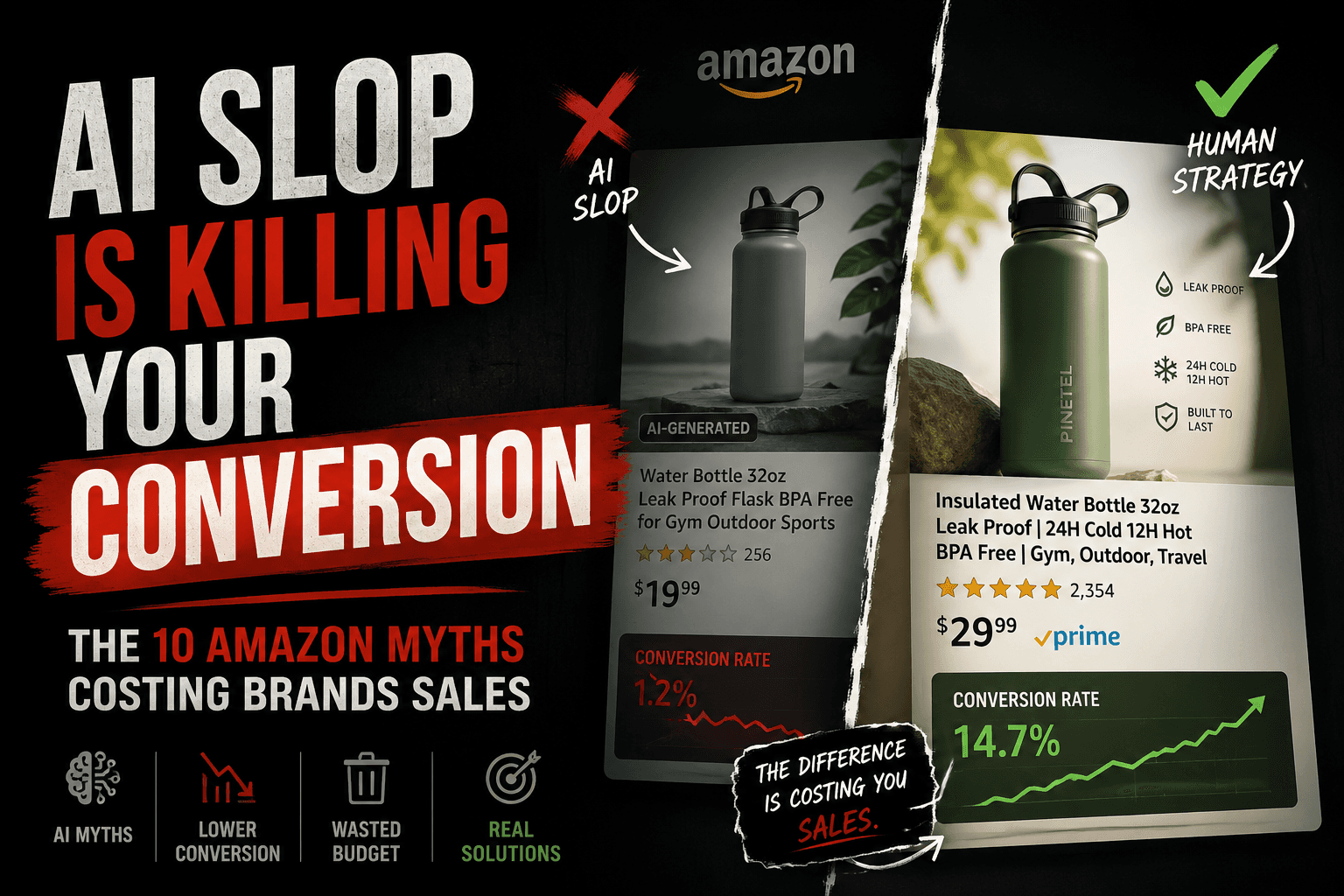
The AI slop quietly killing your Amazon conversion
Most AI-generated listings look polished, keyword-optimized, and technically correct. So why are conversion rates collapsing? Here are the 10 AI myths quietly hurting Amazon brands in 2026.